
How to register XforWooCommerce plugins?
Complete the guide below to successfully register your purchased licenses from Envato/Codecanyon.
1. Visit your Control Panel here → https://help.xforwoocommerce.com/my-support-tickets
Our plugins are sold on Envato market only. Login to your XforWooCommerce Control Panel by connecting it with your Envato account.

2. Click Connect with Envato button to start
Our website will now connect with your Envato account. Remember to use the account you’ve purchased our products with.
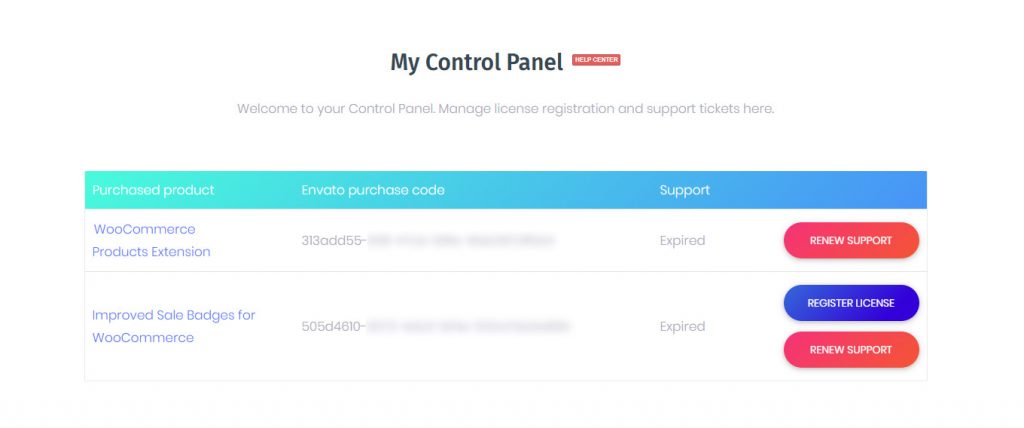
3. Use Register license button to create a key
To register a license for particular plugin, use the Register license button. Once clicked a popup with the XforWooCommerce registration key will appear.
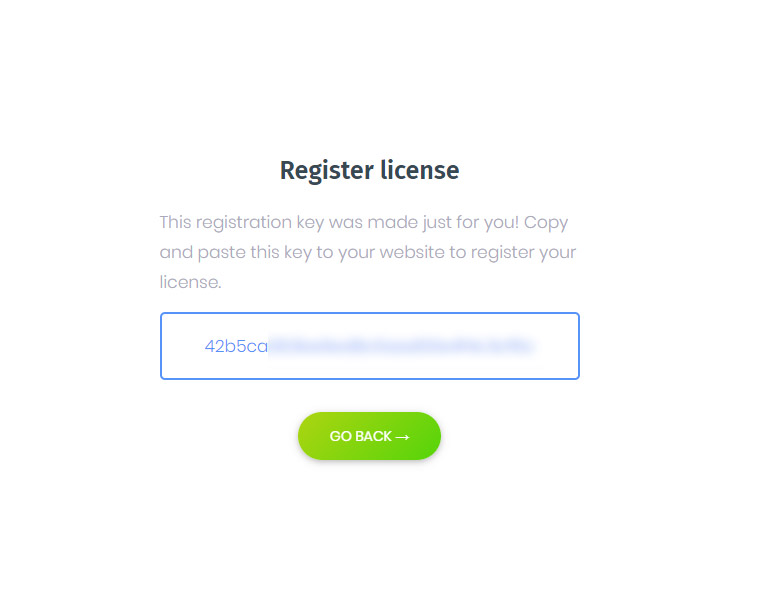
4. Copy the provided registration key
Click this key, it will be copied to your clipboard and then go back to your website.
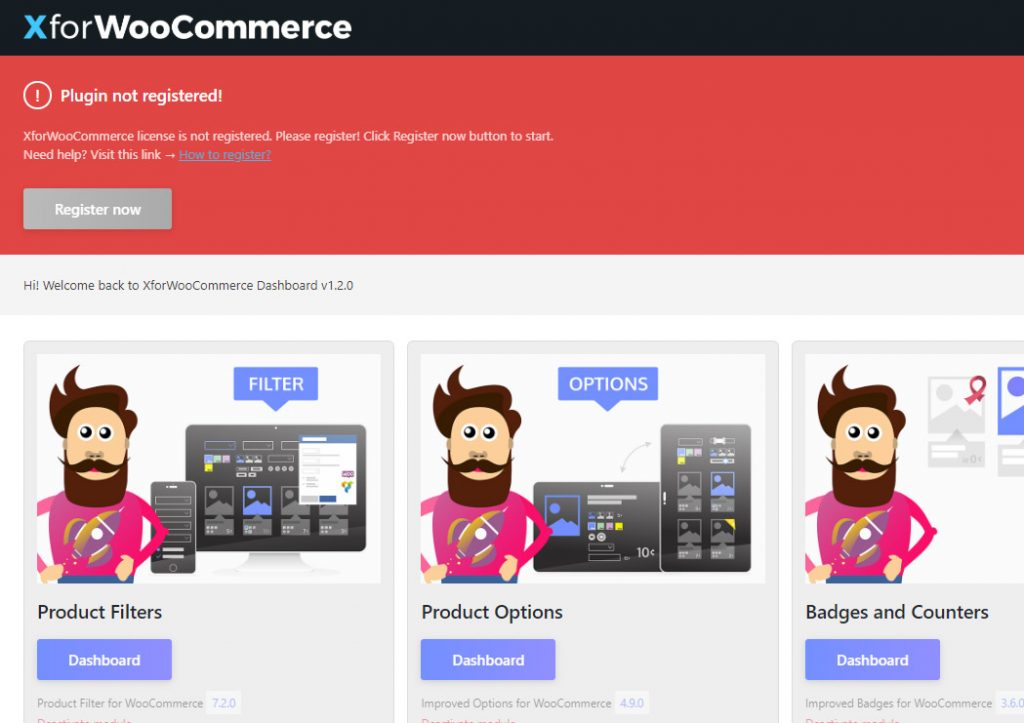
5. Click Register now and paste the registration key
Once clicked an XforWooCommerce.com registration key field will appear. Paste the key you just got here and click Confirm key.
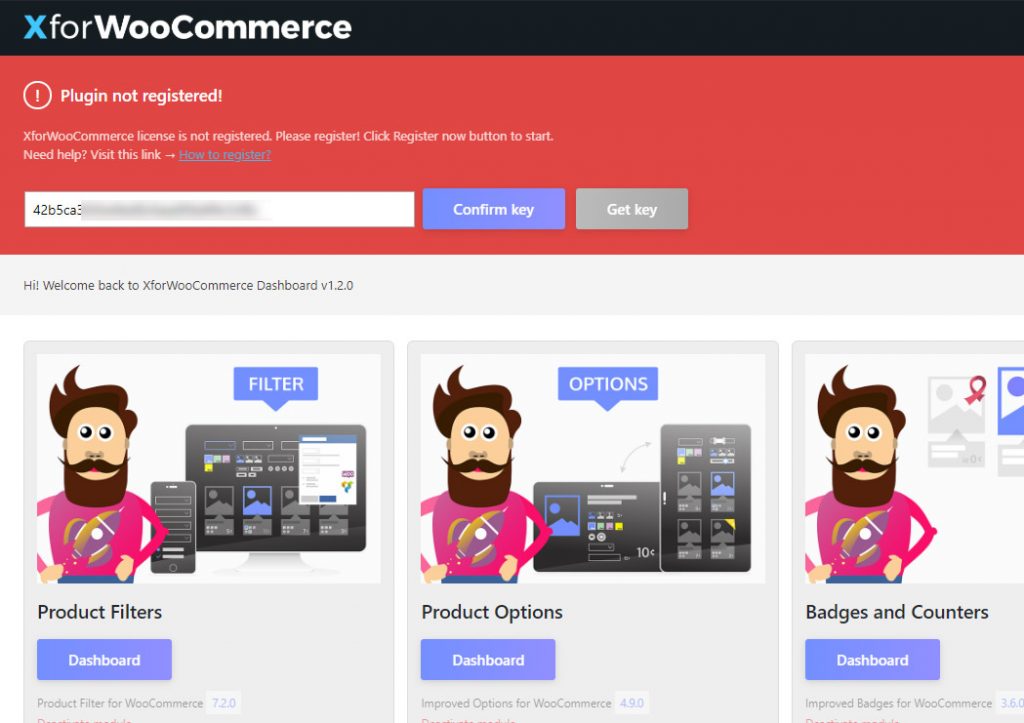
6. Your license is registered!
Your license is now registered! We need this in order to reduce illegal use of our products. This will result in a better service for you, our awesome and trustful customers! Thanks for your support!
To manage more licenses and support requests use your XforWooCommerce Control Panel! → https://help.xforwoocommerce.com/my-support-tickets/